Show who to call
Your chosen emergency contacts appear with a clear call button, so the helper does not need to search your phone.

A passerby scans your Emergency QR to see only the details needed to help—your blood group, important alerts and who to call.
Your family is alerted with the helper’s details and location, while the rest of your records stay private.
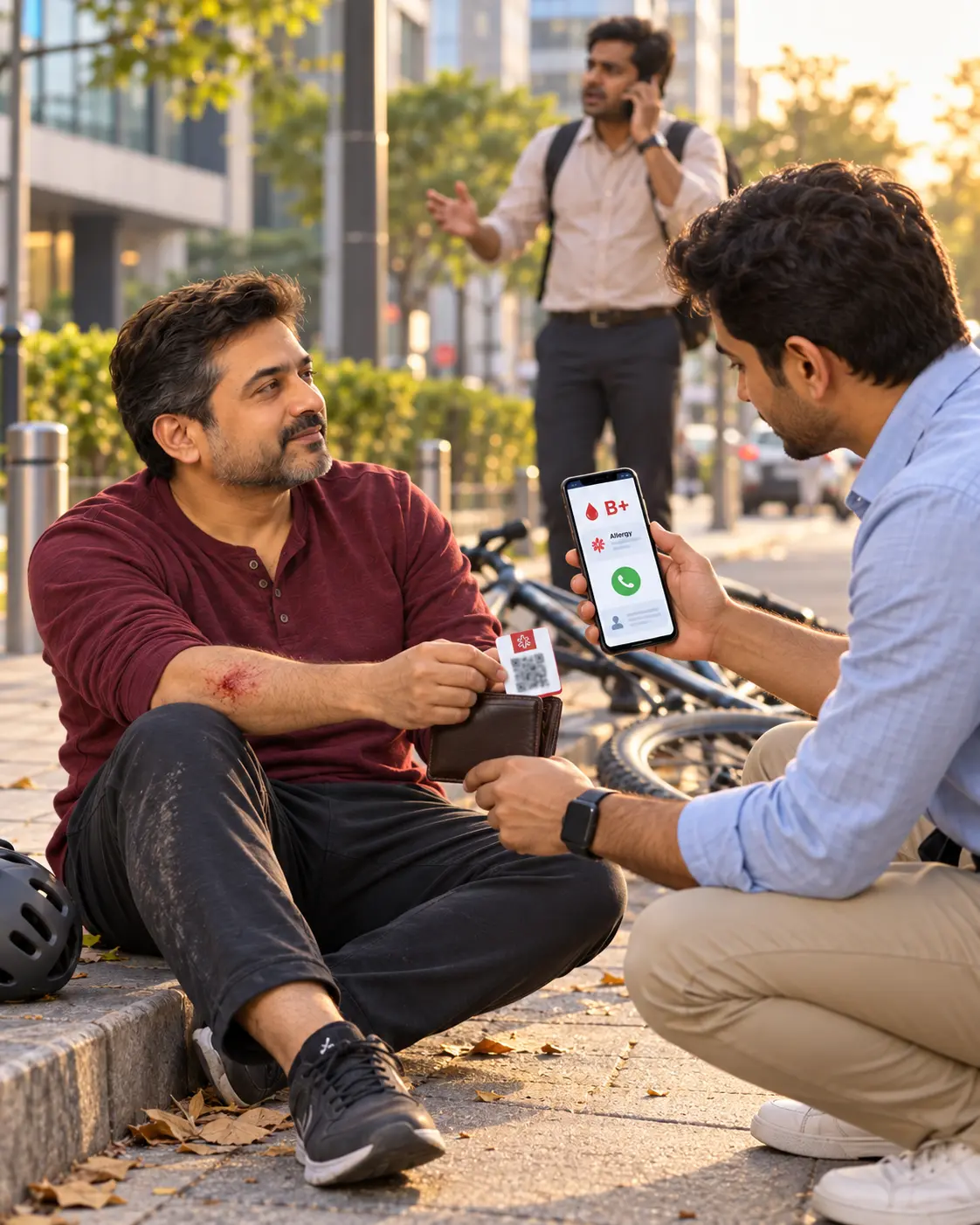
Your Emergency QR gives the person helping you a simple next step. They can call your chosen contact, see a few essential health details and tell your family where you have been found.
Your chosen emergency contacts appear with a clear call button, so the helper does not need to search your phone.
Blood group, critical allergies and selected emergency notes—not reports, conversations or the family account.
The helper can identify themselves and securely share the scan location with your family.
A protected emergency page opens on their phone—without exposing your complete ParentAura profile.
Your chosen contact, tap-to-call button, blood group, critical allergy and brief emergency notes.
The helper enters their name and mobile number and can share the scan location. Your family receives these details immediately.
The emergency screen is designed for an ordinary person at the scene. It prioritises a call to family and a few clear facts that may matter until professional help arrives.
With the helper’s permission, the family receives the location where the QR was scanned. If your phone has ParentAura, location access is enabled and the feature is active, the family can also receive your live location.
The helper explicitly shares the place where they found you.
Your chosen contacts receive the helper’s name, number, time and location.
Available from the user’s phone when the app, permissions and emergency sharing are active.
No. The emergency page opens securely in the phone’s browser. The helper does not need to create an account.
Only the emergency details you selected, such as your chosen contact, blood group, critical allergy and brief emergency notes.
The page asks the helper to share their location and enter their name and number. Location is sent only after they allow it on their phone.
Live location from the user’s own phone requires the ParentAura app, the necessary phone permission and emergency location sharing to be active.
No. Call emergency services first whenever urgent help is needed. Scanning the QR should support care—not delay it.
Create or review an Emergency Kit for each member of your family with Aura.
Create with AuraFREQUENTLY ASKED QUESTIONS
ParentAura supports women with questions about periods, fertility, pregnancy and IVF—whether they want a quick answer, a private history or professional guidance.
Aura helps organise information one question at a time. Aura does not diagnose, prescribe or replace a qualified medical professional.
Yes. You can request professional support whenever you feel ready; using calculators or Apps first is not required.